
With any online English lesson service,
you can start recording in 3 steps.
SpeakCoach works with 150+ online English lesson services.Any online English lesson you take in your browserworks with SpeakCoach. AI analyzes your lesson recordings and coaches you on pronunciation, recurring mistakes, and better phrasing.
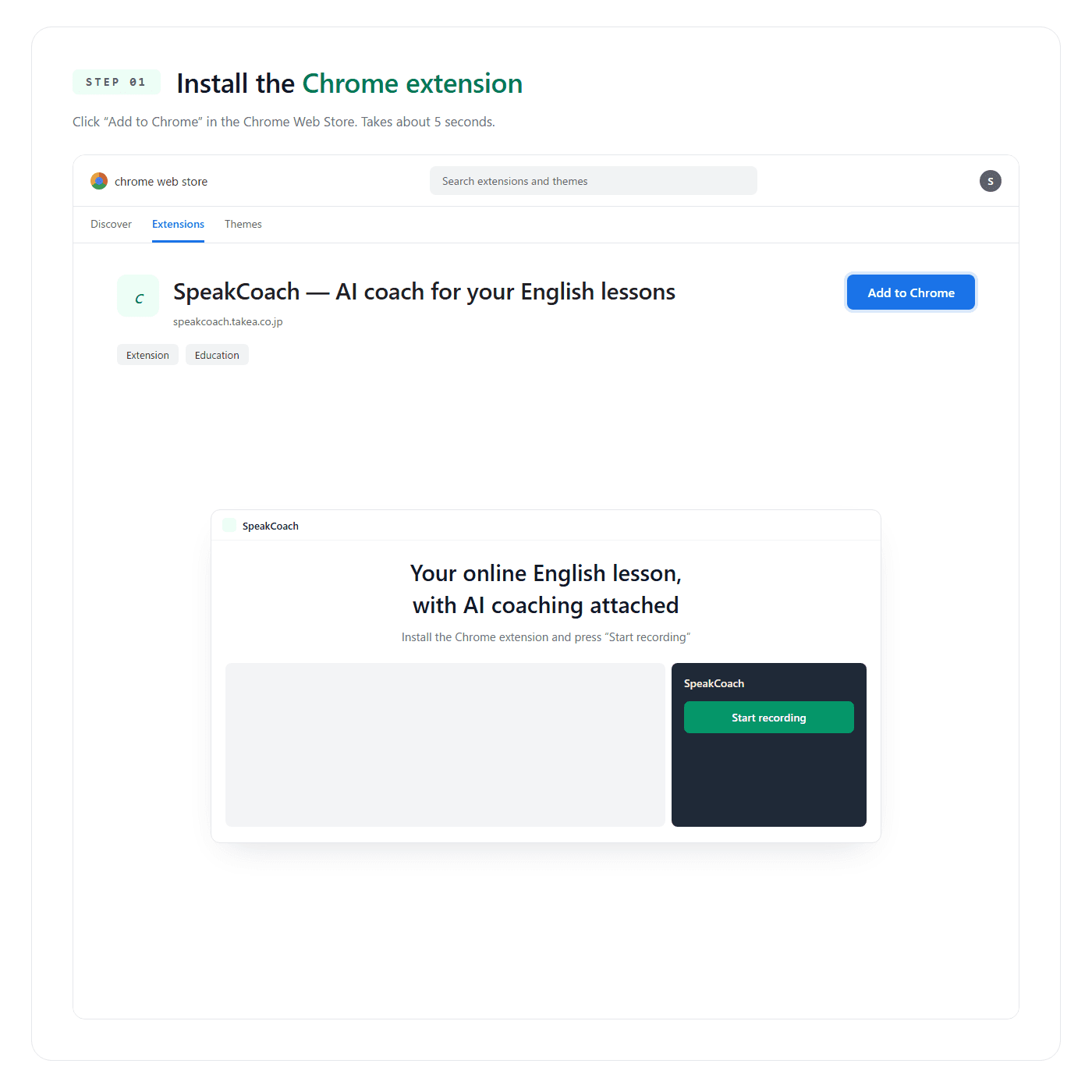
Install the Chrome extension
Just click "Add to Chrome" in the Chrome Web Store. Takes 5 seconds.
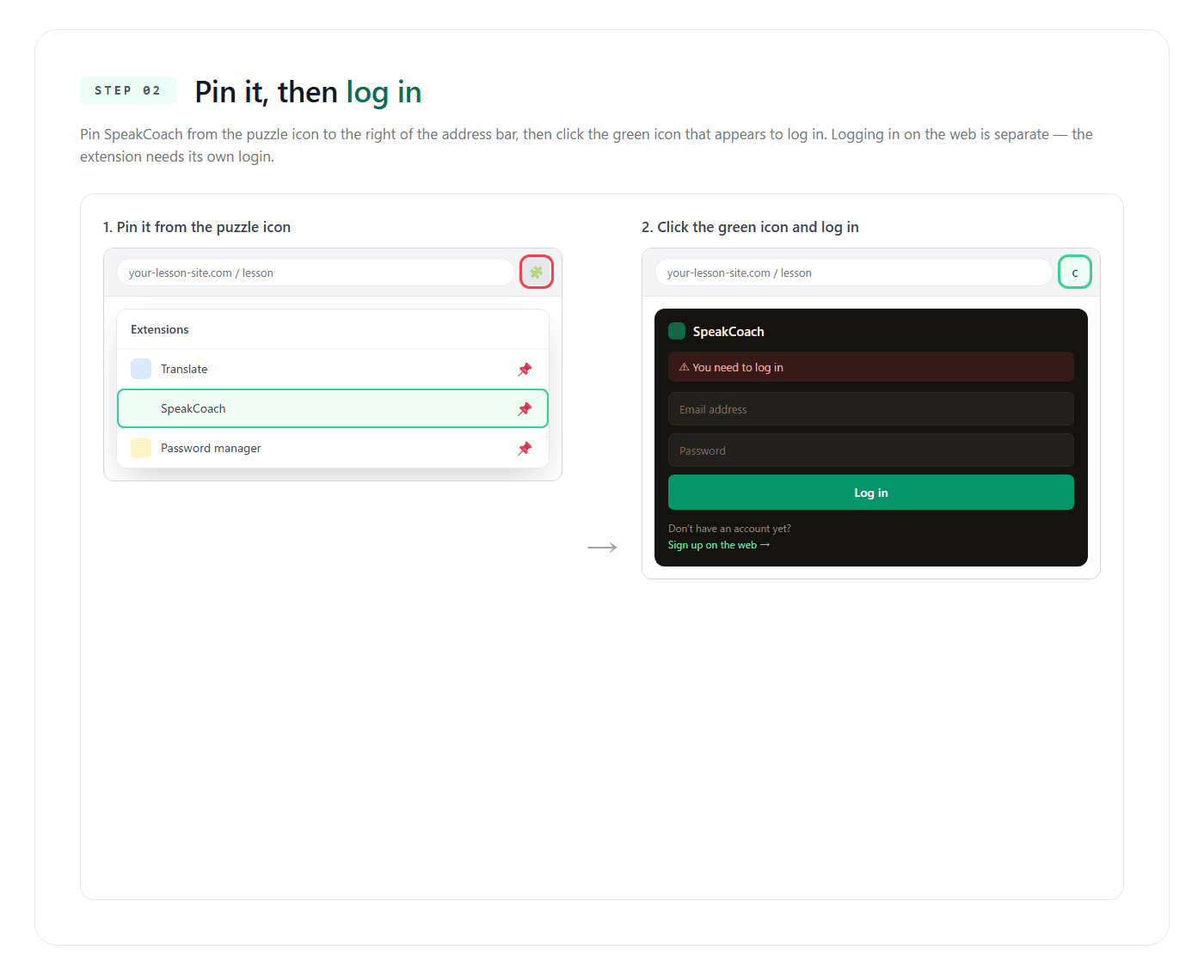
Pin the extension → click the icon to sign inImportant
Pin SpeakCoach from the puzzle icon to the right of the address bar → click the green icon that appears. If you're logged in on the web, the latest extension picks that up automatically. If it doesn't, log in on the extension with the email and password you registered with.
Click the icon during your lesson → "Start recording"
Once your lesson starts, click the pinned SpeakCoach icon → then hit the green "Start recording". On supported services, the recording popup appears automatically. Your AI coaching arrives on its own when the lesson ends.

* The extension works only with Google Chrome on desktop. Don't have an account yet? Sign up to get started.